
Online TM SIM Registration
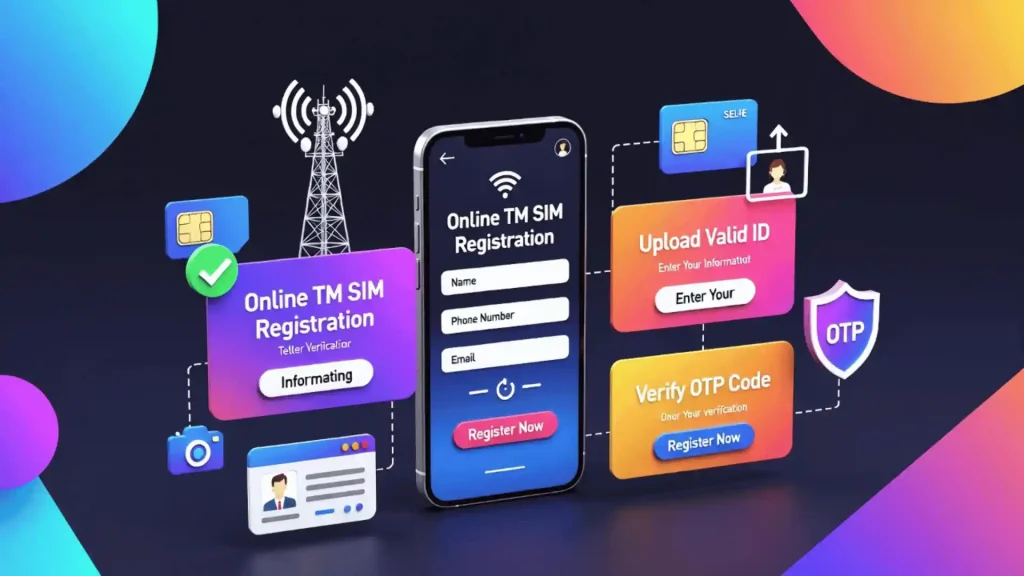
The Government of the Philippines has now passed the SIM Registration Act, or Republic Act No. 11934, in 2022, which requires users to register their SIMs to use the SIM or to protect themselves from spam. TM SIM can be easily registered online. You have to fill in the required information and submit the form.
4
Registration Methods
Free
Registration Cost
24/7
Portal Access
Why is SIM Registration Necessary in the Philippines?
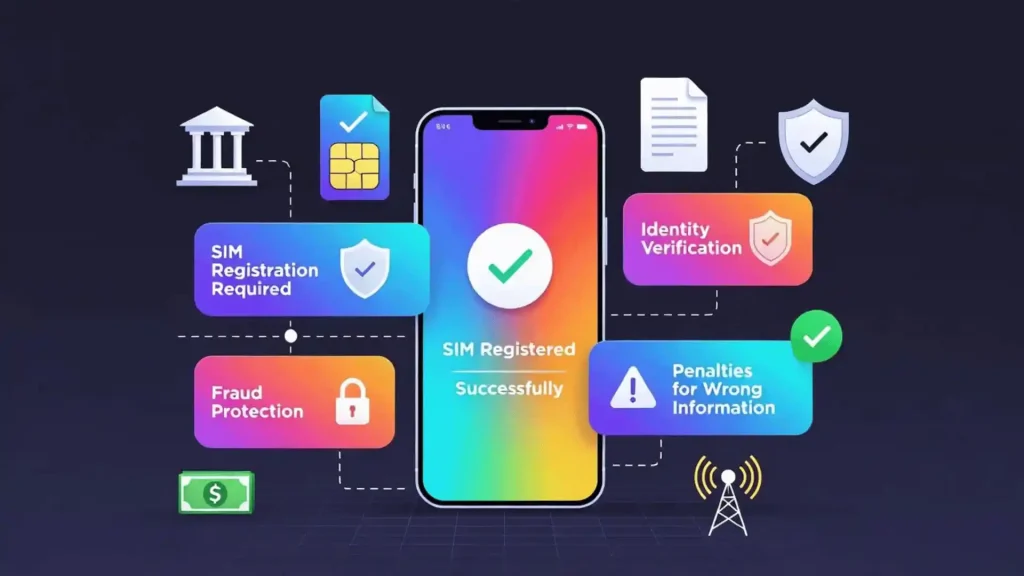
After the SIM Registration Act, it is impossible to use a SIM without registration. Users must register their SIM cards, and if any user violates the SIM registration act/they will face different penalties. These penalties are:
- If the individual steals the SIM or if the individual provides wrong information and IDs for registration, then the individual has to face 6 months to 2 years in jail or up to ₱300,000 in fines.
- If the telecommunication companies do not register SIMs without any valid reason, they may face a ₱100,000 to ₱1 million fine.
- If agents, telecommunication companies, or employees violate data confidentiality, they may be fined between ₱50,000 and ₱4 million.
What is the SIM Registration Act (SRA) in the Philippines
The SIM registration Republic Act No. 11934, known as the SIM card law in the Philippines, requires individuals to register their SIMs to access SIM services, such as calls. By registering the SIM, your mobile security has increased, and it also minimizes the threat of being scammed.
Note: It is not possible to register the old SIM card because the deadline for SIM registration was December 27, 2022. You can now purchase a new SIM card and register it. The minimum age of SIM registration is 18.
Importance of SIM Registration in Different Regions
In African Nations, European Countries, the United States, and in many Asian countries, SIM registration is mandatory in order to use the SIM. In some countries, users cannot use the SIM before proper registration. SIM registration minimizes the threat of being scammed.
Moreover, SIM registration makes the phone more secure. Each country has its specific laws for SIM registration. For example, European countries follow the GDPR (General Data Protection Regulation) to ensure that the user data collected during registration is handled safely and legally.
What is TM SIM?
TM SIM, originally known as Touch Mobile (later known as TM Tambayan), is a prepaid service brand of Globe Telecommunication in the Philippines. TM SIM provides services such as text messages, calls, and data with flexible and low-cost options to users.
Who Needs to Register a TM SIM
To keep your number active or protect your mobile identity, you have to register your TM SIM. Moreover, after SIM TM registration, you can also enjoy different freebies and uninterrupted services.
SIM Card Registration TM for Old Numbers
To avoid disconnections, you have to register your TM SIM again if your TM SIM is too old. You can register your SIM online as well. Just click on the link we have provided, then you will be redirected to the official portal, provide the required information, and that’s it. Your SIM will be registered.
Minors and Guardians
Users under 18 can register their SIM through their parents or a legal guardian. The parent or guardian needs a valid ID and a consent form to register the SIM for the minor. You can also do this at the official portal.
Senior Citizens and PWDs
People with disabilities or Senior citizens can register their TM SIM online or by visiting any nearest Globe store.
New Users
You have to register your TM SIM first to call, text, or use mobile services if you just bought your TM SIM. Just click on the registration link we have provided, then you will be redirected to the official portal, give the necessary ID, and your SIM will be registered and activated in no time.
Foreign Nationals
Foreign visitors also have to register their TM by visiting any Globe store, but expats can register their SIMs online. Moreover, your number remains valid till your stay.
TM Registration SIM Methods
There are three methods to register your TM SIM card. Choose your method according to your comfort level. You can choose whichever method you find suitable, as all methods are safe. Below, I provided you with a detailed guide with pictures and videos on how to register your SIM card.
Online Portal
TM SIM Registration legit link.
GlobeOne App
SIM TM Registration via GlobeOne App.
In-Store
Visit the Globe store and register your SIM.
QR Code
Scan the QR code and register your SIM.
Step-by-Step Registration Guides
You can choose whichever method you find suitable, as all methods are safe. I have experienced SIM card registration TM many times, and my recommendation is to register your SIM card through the online portal as it is the easiest and simplest method.
Here I am going to show you how to register the TM SIM card step by step via the portal:
- First, visit the TM Sim portal. Access the portal through the above button or type the address bar new.globe.com.ph/simreg in your browser.
- To start Sim registration TM, press continue. Enter your mobile number and press the Request PIN button.
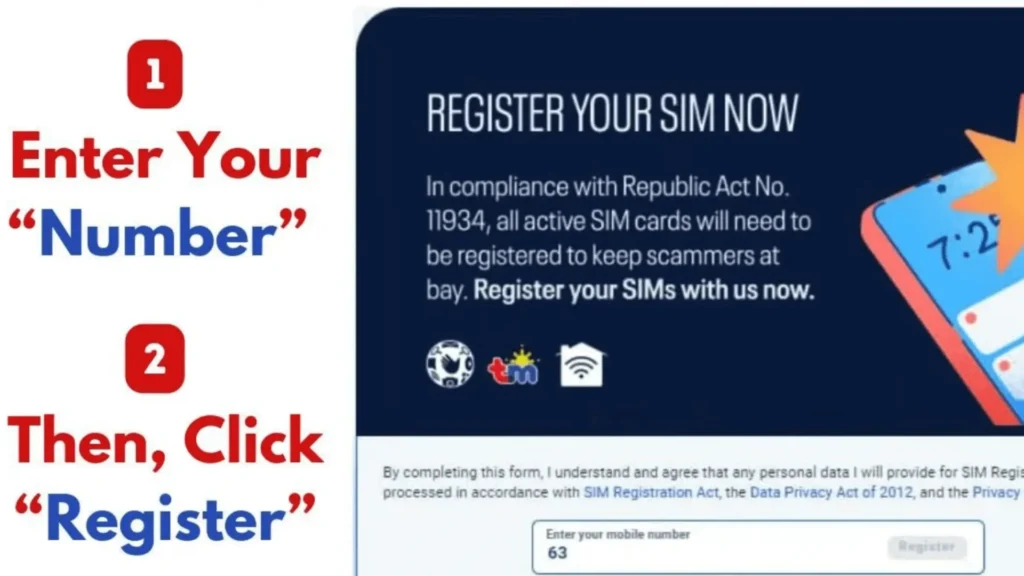
- Enter the One Time Pin (OTP expires in 3 minutes) sent to your mobile number and continue. Press Resend Pin if you don’t receive the 6-digit code.
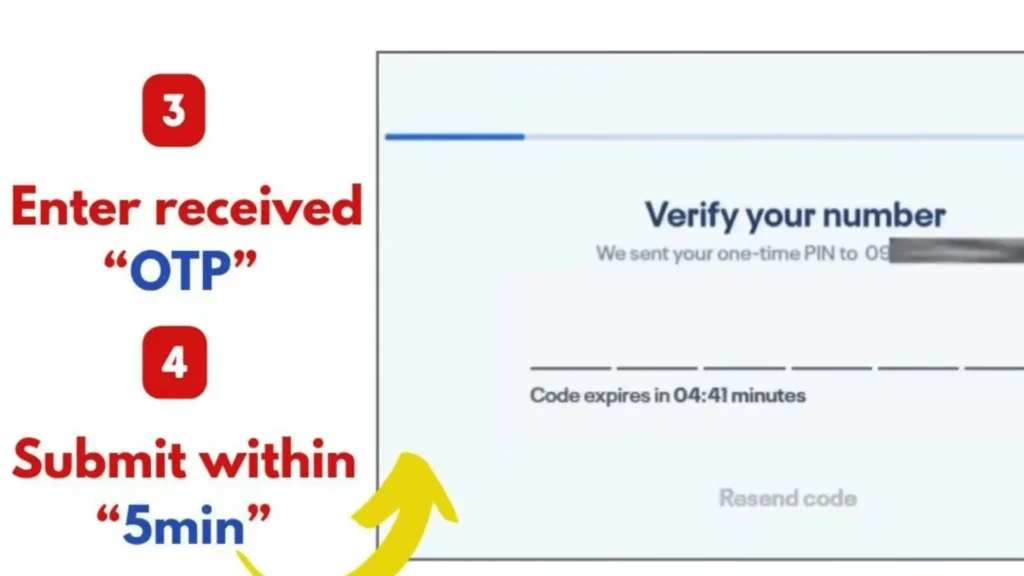
- After this, please read the guidelines on the screen to successfully register your TM SIM and press continue.
- Select the registration type, click the drop-down button, and select the registration type that describes you. Select Owner, if you are a Filipino resident and continue.
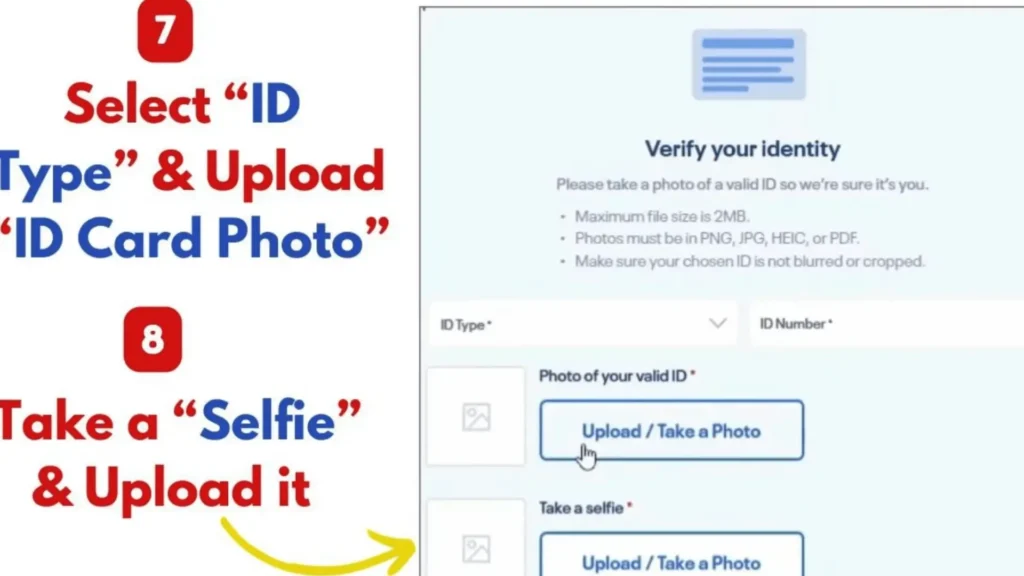
- After this, read the guidelines carefully shown on the screen. Your photo and identification document ID will be required as mentioned in the instructions, and click on Continue.
- Provide your document and a fresh picture, and click on “Scan with camera”.
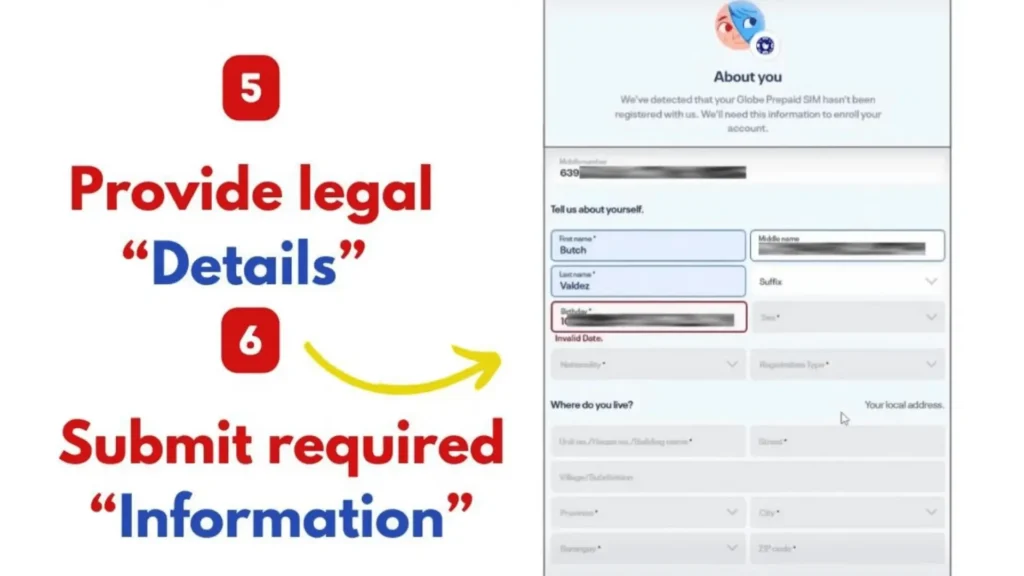
- You will get a registration form once the verification is complete. Provide the details and fill in the form carefully and accurately. Form details include: Gender, Name, Nationality, Birthday, Address
- Select N/A if your address (village or subdivision) is not available in the form to prevent any errors. Agree with the Globe telecommunication terms and conditions checkbox, and review your provided information to prevent mistakes.
- At last, submit the SIM registration form by clicking on the Submit button.
- After successful submission, you will get a reference number. Save this reference number for future use.

The TM (Touch Mobile) Sim registration process through the mobile app is almost the same as the TM portal, but I will provide you with a step-by-step guide on TM registration via the mobile app.
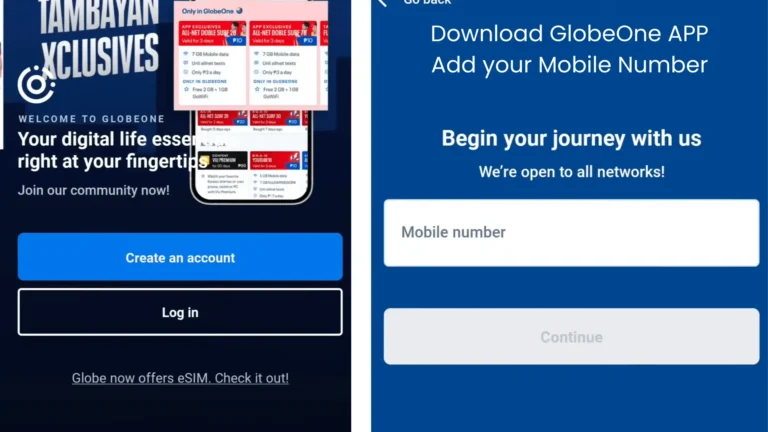


The traditional method of TM (Touch Mobile) SIM registration in Globe stores is also available if you are uncomfortable with online SIM registration. Here are the simple steps to register your SIM in Globe stores.
Note: You can register more than one SIM card under your name. Repeat the same steps as provided above.
Scan the QR code that we provided below.

- Once you scan the code, you will be redirected to the TM SIM registration official portal to register the SIM.
- Just fill in the form and your SIM will be registered in your time.
Retailers for TM SIM Registration
Company Name | Retail Type | Stores |
|---|---|---|
Mercury Drug Corp | Drugstores | 1,200+ |
SM Retail Inc. | Department Stores | 2,800+ |
7-Eleven | Convenience stores | 3000+ |
Robinsons Retail Holdings Inc. | Department Stores | 1800+ |
Alfamart | Convenient stores | 1,000+ |
Golden ABC Inc. | Clothing | 800+ |
SSI Group | Specialty | 500+ |
Puregold Price Club | Inc. Supermarkets | 400+ |
Metro Retail Stores Group Inc. | Department Stores | 50+ |
Rustan Supercenters Inc. | Supermarkets | 30+ |
Tips For Successful Registration
TM registration is very easy and does not require any complex things, but there are a few small things to keep in mind while registering your SIM. Here are the easy tips that I follow while registering my TM and Globe SIMs.
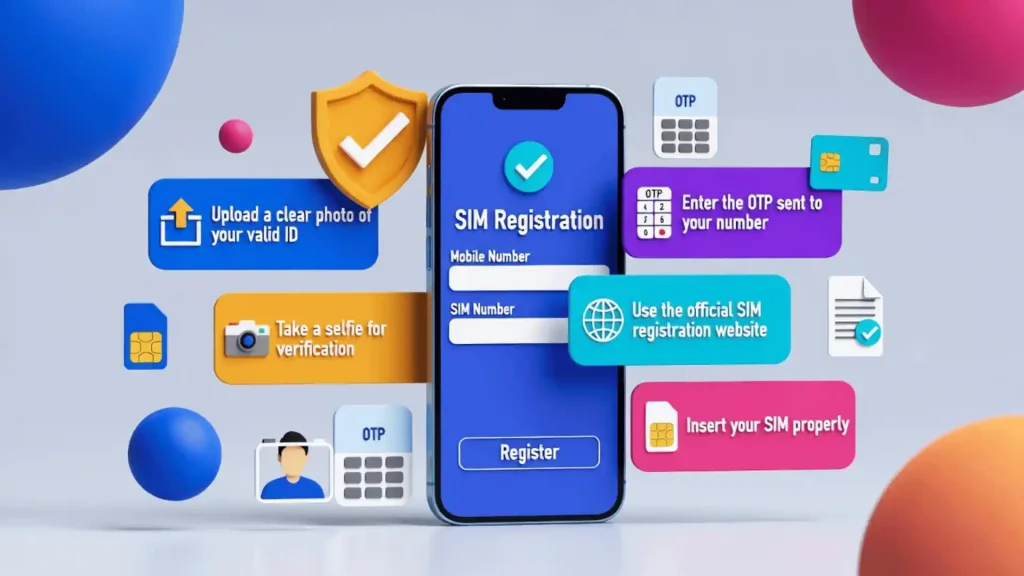
- To prevent any errors (such as a wrong CNIC) or penalties, make sure you always give valid and up-to-date information documents, including your ID.
- Always upload a clear and valid image of your information document ID. Your selfie must be fresh, and do not wear any glasses while taking a selfie. The image should not be larger than 2 MB.
- Make sure to insert the SIM card properly, otherwise you will not receive the 6-digit code. Click on the “Click here” link that is next to the OTP box to get the 6-digit code if you are a wifi user.
- Sometimes the website might go down due to any problem, such as traffic peak hours, so wait for some time and then try again for registration.
- Do not use any third-party suspicious links or apps for registration to avoid serious errors or scams. Always use the official links, apps, or trusted sources for TM SIM card registration.
- In case of any issue, contact the TM SIM support immediately, and the dedicated support will assist you.
How To Check Touch Mobile SIM Registration Status?
After submitting the form, there are four different ways to check the Touch Mobile SIM registration status.
Check Via the Portal
- Visit the TM official portal and enter your phone number.
- TM will send OTP to your number. Enter it on the website.
- After this, your registration status will be shown on the screen.
Check Via App
- Open the GlobeOne app and log in with your username and password.
- Once you are logged in, you will see the SIM registration status on the home screen.
Check Via TM Registration Number
- Visit the TM official portal and enter your phone number.
- TM will send OTP to your number. Enter it on the website.
- After this, your registration status will be shown on the screen.
Check in stores
- Visit any Globe store and tell them that you are here to check your SIM registration status.
- You will have to provide some details to the attendant.
- After this, you will get your SIM status in a few seconds.
Note: These are the four methods that you can use to check your TM SIM registration status. Remember, each method is secure. If the SIM status shows that the SIM is not registered yet, wait for some time before contacting the support team. After a few hours, check the SIM status, and I hope your SIM will be registered.
How To Check TM SIM Balance?
After SIM card registration TM registration, you can check your SIM balance and recharge it. There are four different ways to check your SIM balance. Follow any method that suits you, and remember that all these methods are safe and secure. My personal favorite method is through sms.
Check Via SMS
Here is the method to check your balance via message:
- Type and send a text message “BAL” to 222.
- You will receive a message with your balance details and validity period.
- This method of checking the balance is completely free, and no tax will be charged.
Via USSD Code
Here is the method to check your balance via USSD code:
- Dial *143# and select option number 7 for load inquiry. A pop-up will appear showing your balance details.
- Dial 143# again to check another account balance. Select “Account” and then choose “Balance Inquiry.”
- Tap on “Check Another Account” and enter the mobile number you want to check. You will receive the balance information for another number.
- This method is also free, but sometimes a minor tax is applied.
Via Phone Call (Number)
Here is how to check your SIM balance through a phone call
- Make a call to 222 and follow the voice instructions on the phone call to receive the information about the balance.
- A small fee (around 1 peso) is deducted while using this method.
Check via GlobeOne App
Here is how to check your SIM balance via the GlobeOne app
- Install the GlobeOne app from the Play Store or the App Store
- Open the app and log in to your account with your username and password.
- After logging in, your balance will be shown on the Globe app screen.
- This method is also free, but you will require the internet.
Basic Information Needed for TM SIM Registration
The requirements for TM registration for Filipino residents, corporations, minors, and foreigners are different. Here I give the complete list of requirements:
Filipino Nationals and Minors
- Full Name
- Gender
- Birthday
- Address
- Mobile Number
- ID number and government ID with a picture
- Evidence that all information is correct.
Note: Minor’s SIM will be registered on the guardian’s details and IDs. So, guardians’ details and IDs are required to register a TM SIM for minors.
Corporation
- Complete address of the company (Required)
- Name of the Registered Company (Required)
- Representative Name (Required)
- DTI or SEC Certificate of Registration (Required)
- Form 2303 and BIR Certificate (Required)
- List of Mobile Numbers for Registration (Required)
- Authorized Representatives Valid Government ID (Required)
- SUC, LGU, or Embassy Documents (If applicable)
- Secretary’s Certificate or Board Resolution (Required)
- Attorney Special Power (If applicable)
Foreigners
Foreigners’ registration varies from person to person. Here I write the complete requirements for foreigners.
Tourist
Foreign Residents
Note: The TM SIM card of foreigners in the Philippines will work for only 30 days, and after 30 days, it will be deactivated.
Valid ID and Selfie Rules for TM SIM Register
- To register the SIM, you must have a valid ID and a selfie.
- Make sure that your ID photo is clear, unexpired, or not cropped.
- Always take a fresh selfie in lighting and remove glasses if you have.
- Do not upload blurry images otherwise, the SIM registration TM portal will reject your images. After 30 days, it will be deactivated.
Acceptable IDs for TM SIM Card Registration
Here I write the official lists of acceptable IDs for TM SIM registration:
- Philippine National ID
- Senior Citizen ID
- NBI Clearance
- Driver’s License
- BIR ID
- SSS ID
- OWWA ID
- UMID Card
- IBP ID
- Voter’s ID
- PRC ID
- Philhealth ID
- Passport
- Firearms License
IDs that Are Rejected During SIM Registration TM
- Expired IDs
- Photocopies or screenshots
- Blurred or edited images
- Damaged or cropped documents
Technical Requirements for SIM Card Registration TM
- Stable internet connection
- Smartphone or computer with a working camera
- You need clear image files of your ID and fresh selfies in PNG/JPEG
- You need an active TM SIM for the OTP verification code.
Things to Avoid during TM SIM Registration
Avoid the following things during TM registration SIM:
- Do not use damaged, expired ID, or dirty documents.
- Avoid using screenshots of your selfies or ID.
- Slow internet connection
Troubleshooting SIM Registration TM Errors
While registering a TM SIM card, many users face different errors. Here is how to troubleshoot those errors:
SIM Card already Registered
Follow these steps if you are getting this issue.
- Contact Globe support and tell them about the “SIM card already registered “issue. They will further help you in resolving the issue.
- This type of error mostly occurs with new TM SIMs when the previous Owner does not deactivate the SIM card.
Invalid ID
Follow these steps if you are getting the Invalid ID error.
- Make sure that you have provided the correct information about your documents, such as your birthday, and check that you have not provided an expired ID.
- The image should not be blurred; it should be visible and clean. It does not exceed 2 MB
Selfie Issue
Here is how to resolve the “Selfie Issue”
- Make sure that your picture is always clear and visible.
- Your selfie must be fresh and do not use any filters.
- Make sure that the image does not exceed 2 MB.
OTP not received
Here is how to resolve “Otp not received”
- Make sure that you have a stable internet connection
- Double-check your phone number to ensure that you entered the correct number
- Wait for some time before trying again, and check sms or your spam box for the OTP
- This error usually occurs due to an unstable internet connection
Registration Timed Out
Follow these instructions to solve the SIM registration TM timed out.
- Check that you have a stable internet connection.
- Clear the cache of your browser or app and then try again.
- This type of error occurs during the peak hours of Touch Mobile SIM registration. Wait for a few minutes and then try again.
App Crashed
Sometimes it happens while registering your TM Sim. Here is how to resolve this error.
- Make sure that you have the latest version of the GlobeOne app
- Clear the cache of the app and then try again
- Sometimes this is due to peak hours, wait for some time, and then try again.
Benefits of TM SIM Registration?
Users now must register their TM SIMs due to the passed act in the Philippines. Registering your SIM not only boosts security factors, but there are also many benefits to registering your SIM card.
Security
- Registering a TM SIM card protects our (users’) identities, information, and details from being misused.
- It also minimizes the threat of SIM fraud.
5G-READY SIM
- TM now offers compatible SIMs.
- This service is good for people who go on tours, and if there are 5G signals nearby or your phone is compatible with 5G, you can use 5G.
Read: How to pasaload TM
Compliance with the Law
- The Philippine government has imposed an act of SIM registration on October 10, 2022, and users have to register their SIM within a certain time.
- If users do not register their SIMs, then their SIM cards might be blocked or interrupted.
Promos and rewards after registration
- After SIM registration TM, TM users may get different rewards, such as free data for a certain time, as a welcome gift to new users.
- The company might give you an additional bonus load for calling and messaging, and you might receive promos such as cheaper calls, data, and messages.
- Users can also enroll in loyalty rewards to earn points. Later, you can use those points.
Lost or Stolen SIM Assistance
- If your SIM ever gets lost or stolen by someone, immediately contact customer support, and they will easily and securely replace the SIM without any misuse.
- You just have to provide ID and registration to the team to verify your identity.
Freebies after SIM Registration TM
After TM SIM registration, users can get a welcome freebie that includes unlimited messages, 5 GB (2 GB for regular internet use and 3 GB for the FunALIW pack) of internet for 3 days. Type a text message FREEEZ50 to 8080 to claim this offer.
- New TM prepaid registered SIM users can receive up to 20 GB of freebies.
- From the GlobeOne app, users can receive a Go59 promo (unlimited messages to every network and 5 GB of data) for three days.
- After SIM is successfully activated, users can enjoy the Go59 promo for 3 months by adding ₱300 monthly load.
Note: The offer FREEEZ50 is only for new registered TM SIM users and is valid for 3 days. Read: Why your TM-SIM no signal.
How to Fix TM Sim Registration Failed
Follow these steps if you receive “Sim registration failed” while registering your SIM card.
- Turn off your mobile phone and remove your SIM card tray
- Clean your SIM card with a dry cloth to remove any dust particles. Also, blow your SIM card to remove any remaining particles.
- Re-insert the SIM in the SIM tray, turn on the mobile phone, and start registering your SIM again.
- Make sure you have a stable internet connection, and if those steps did not work, change your mobile phone and then try again.
How To Switch To TM? (SIM card portability)
TM allows users from other mobile networks, such as Smart, to switch to TM Tambyan through MNP (Mobile Network Portability). Here is the step-by-step guide on how to switch to TM.
- The first step is to make sure that the current SIM is active for at least 90 days and has no unpaid bills.
- From your current mobile number, type and send a text message “USC” to 5050, and you will get a 9-digit code in reply.
- Go to the TM portal or a TM store and request a new TM SIM for porting.
- Provide your current mobile number and the Unique Subscriber Code (USC).
- Within 2-4 days, your new SIM will be delivered.
- Insert your new SIM into your mobile, and in the SIM menu, select port in, and then online request.
- Now add your old mobile number, and you will receive an OTP.
- After a few hours, your TM SIM will be activated with your old mobile number.
Note: The process of changing SIM to TM SIM is completely free, but you will lose some of your services from your old SIM, such as GCash. Your old SIM will stop working after the SIM switches to TM Network, and remember you can only port once in 60 days.
How to Convert TM/Globe SIM to eSIM?
It is very easy to convert your Globe/TM SIM to eSIM, but before starting the conversion process, make sure that your mobile phone is compatible with eSIM, and the process to convert your Globe / TM SIM costs around ₱99. This fee is charged by the Globe / TM, and follow these steps to convert your regular SIM to eSIM:
- Install the GlobeOne app on your mobile phone.
- Open the app > eSIM services section > Select option ‘’Change SIM to eSIM’’
- The app will check whether your mobile phone is compatible with eSIM or not.
- If your mobile phone is compatible with eSIM, then follow the steps that are shown on screen.
- After this, you will receive an eSIM QR code email. Scan the code and activate your SIM.
How to Change TM SIM Details
After registering your TM SIM, you can change your SIM details very easily and safely.
GlobeOne App
- Open the GlobeOne app on your device and sign in using your password and mobile number.
- After logging in > Registration section > Edit > Modify details such as name, address, and ID number.
- Make sure that all the new information you added is correct and meets the SIM TM registration requirements. To confirm your identity, take a clear photo of your ID and upload it.
- After this, the Globe will review your changes. Once approved, you will receive a confirmation message.
Globe Store Method
- You can also change your SIM details by visiting a Globe store if you are not comfortable with the online method. Make sure to bring the accepted ID, such as your National identity card, and ask the staff to update your SIM details. The staff will help you and make the changes.
How to Recharge Balance in your TM Sim?
There are many methods to recharge your TM SIM balance, such as:
- Open the GlobeOne app > Go to the ‘’Buy’’ Section > Select ‘’Buy TM Promos or select the amount you want to recharge.
- Visit any local retailer and tell them to add load to your SIM. The retailer will ask you how much data you want on your SIM. It depends on you how much load you want to add to your SIM.
- You can also buy a load for your SIM by using digital platforms such as GCash.
Note: The USSD code method in pasaload TM is discontinued as of 2 December 2022.
Is new.globe.com.ph Legit for SIM registration TM?
Did you want to know the legitimacy of registering your Globe and TM SIMs through new.globe.com.ph? Here’s a complete answer.
- Website: new.globe.com.ph, and it is redirected from glbeshop.co
- The website has an SSL security feature.
- The website has a spectacular speed
- Website Domain is verified by Google Trust Services
- Website Trust score: 100/100
Note: This website is the TM SIM Registration legit link.
Safety Tips Against SIM Scams
Here are some tips to follow while SIM TM registration.
- Always avoid suspicious and untrusted third-party websites, as these websites can steal your information.
- Avoid those SIM Registration sites that do not point you towards the official website. The TM SIM Registration legit link is https://www.globe.com.ph/register-sim-card.
- While registering your SIM, never ever share your OTP with anyone.
- Do not give your personal information to unknown callers.
How to receive OTP for a TM prepaid WIFI user?
Follow these steps to receive OTP for the TM prepaid wifi user.
- Connect your device ( mobile or laptop) to the TM prepaid wifi user.
- Log in by using the password and username found on the TM prepaid wifi modem to get the OTP.
- Then go to the modem’s SMS dashboard because the code is in the modem’s SMS dashboard.
TM SIM Promos & Rewards
TM offers many promotional and latest packages of messages, calls, and internet for users to enjoy. These are some of the best offers from TM.
Promo | Inclusions | Price | Validity |
|---|---|---|---|
Easy Surf 10 | 50 MB of data | ₱10 | 1 day |
Easy Surf 50 | 1GB Facebook data + 1GB data | ₱50 | 3 days |
Easy Surf 70 | 2GB for apps + 1.5GB data | ₱70 | 7 days |
Promo | Inclusions | Price | Validity |
|---|---|---|---|
Combo 15 | Globe 20 minutes + Unlimited SMS + 100 MB of data | ₱15 | 1 day |
Combo 70 | Globe 100 minutes + Unlimited SMS + 2GB data | ₱70 | 7 days |
Combo 50 | Globe 100 minutes + Unlimited SMS + 1GB data | ₱50 | 3 days |
Promo | Inclusions | Price | Validity |
|---|---|---|---|
Surf Saya | Facebook 50 mbs + 100 MB of data | ₱20 | 1 day |
Surf Plus | Facebook 300 mbs + 500 MB of data | ₱50 | 3 days |
Surf Max | 1.5GB for social apps + 1GB of data | ₱100 | 7 days |
Rewards Program
Join the TM SIM network to enjoy these rewards securely and much more at home or abroad.
| Promo Code | Description | Points |
|---|---|---|
| REWCOMBO2 | 20 SMS, 20 mins, validity 1 day | 2 pts |
| SURF100MB | 100MB, validity 1 day | 2 pts |
| REWTXT | Unlimited all-net texts and 100MB surfing, validity 1 day | 4 pts |
| REWCOMBO4 | Unlimited TM text messages and calls, validity 1 day | 4 pts |
| SURF250MB | 250MB surfing, validity 1 day | 4 pts |
| REWCALL | Unlimited TM calls and 100MB surfing, validity 1 day | 4 pts |
| REWCOMBO1 | Unlimited calls, all-net messages, 100MB surfing, validity 1 day | 6 pts |
| SURF1GB | 1GB surfing, validity 1 day | 10 pts |
| SURF500MB | 500MB surfing, validity 1 day | 10 pts |
TM SIM Helpline
These are the methods of the TM Sim helpline if you face any problem:
TM Official Website
Visit the official Globe contact page.
Helpline Number
Call 808 or (02) 7730-1500
Messenger Helpline
https://www.tmtambayan.ph/contact-facebook-messenger
Frequently Asked Questions (FAQ/s)
Final Words
How to register TM SIM? There are four methods to register TM SIM: Register TM SIM Via Portal, Register SIM Via App, Register via QR Code, and Globe Store. These methods are all safe, but registration through the TM Portal is the easiest. You can choose any method you like.